Unofficial tool — not made by, affiliated with, or endorsed by TikTok or ByteDance.
Features How It Works Screenshots Pricing FAQ Support Add to Chrome — Free
Chrome Extension · Manifest V3

Remove all your TikTok favorites in one click

Bulk-remove every saved TikTok video automatically. No scrolling, no tapping one by one — press Start and let it clean up your favorites while you do something else.

1-Click
BULK REMOVE
6/day
FREE TIER
Unlimited
PRO TIER
Private
BY DESIGN
TikTok Favorites Remover extension popup showing the Start Removing button
150 removed safely
Report exported
Features

Everything you need to declutter your TikTok

Powerful options wrapped in a clean, simple interface. No setup needed — install it and go.

Export to CSV, JSON, or Excel
Get a full record of every removed favorite — exported with video IDs, author names, descriptions, URLs, and status, ready for your own records.
3
EXPORT FORMATS
.CSV .JSON .XLSX
Secure License System
Pro licenses are verified through Gumroad with automatic re-verification twice a day. Your key stays local — we never see it after purchase. Up to 3 device activations per key.
Bulk Remove in One Click
Hit Start and the extension automatically scans and removes all your TikTok saved favorites — no manual effort required. Runs quietly in the background.
Smart Keyword Filtering
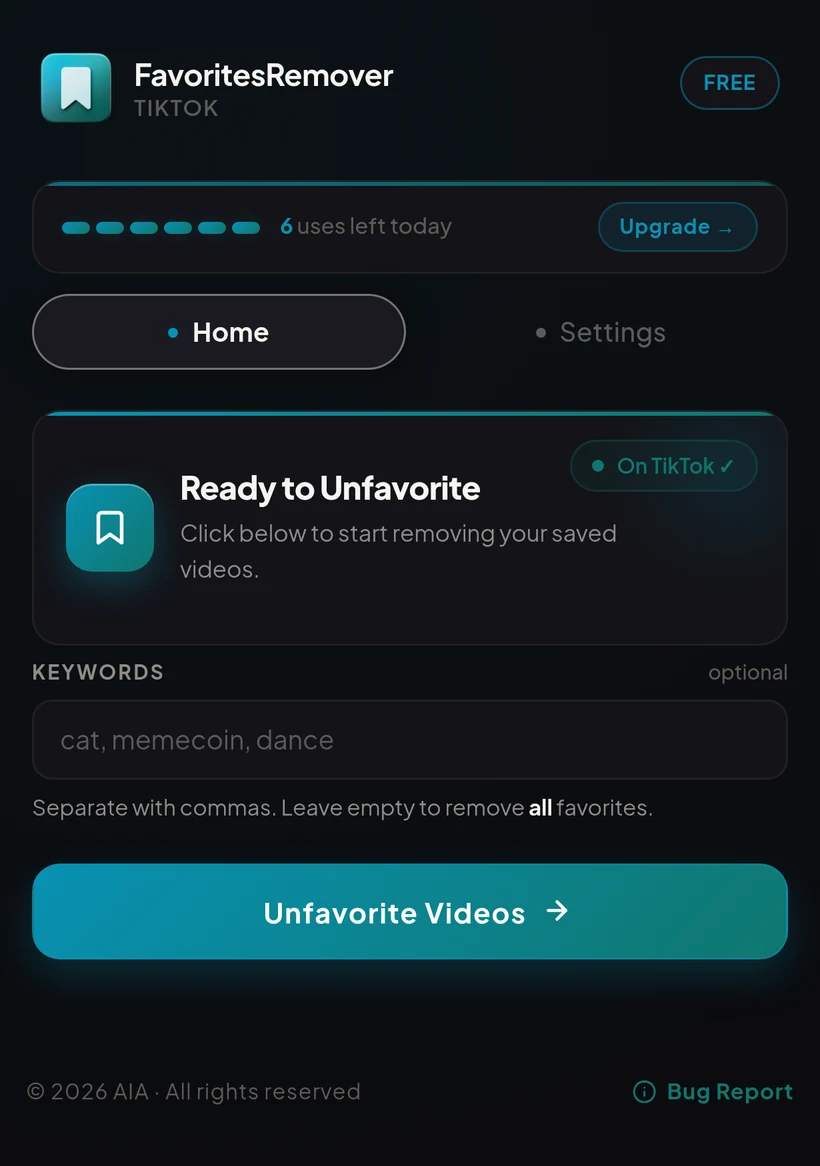
Only want specific favorites gone? Type keywords like "dance" or "memecoin" and only matching favorites are removed. Separate multiple keywords with commas.
Auto Rate-Limit Cooldown
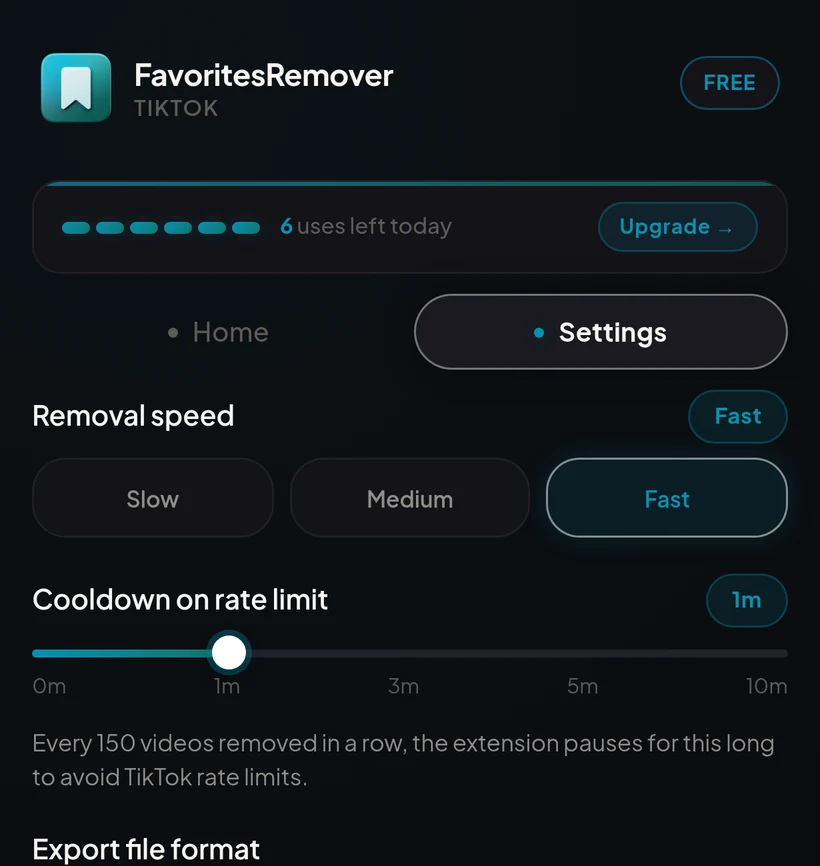
A built-in smart cooldown detects TikTok rate limits and automatically pauses then resumes, keeping your account safe. Adjustable from 0 to 10 minutes.
Adjustable Removal Speed
Choose Slow (3s), Medium (2.5s), or Fast (1.75s) between each removal to balance speed with safety. Going too fast can temporarily restrict your account.
No Account, No Setup
Nothing to sign up for. Install the extension, open your TikTok profile, and it's ready — no configuration required to get started.
Runs Entirely In Your Browser
All the removal logic runs locally on your device. Nothing is collected, tracked, or sent to a server — your TikTok data stays yours.
How It Works

Up and running in under 60 seconds

No account creation needed. Install once, use forever.

1
Install the extension
Add TikTok Favorites Remover to Chrome from the Web Store. Takes about 5 seconds.
2
Open the popup
Click the extension icon in your toolbar. Optionally add keyword filters to remove only specific favorites.
3
Click Start
Click "Unfavorite Videos." Your TikTok profile opens automatically and removal starts right away.
4
Done!
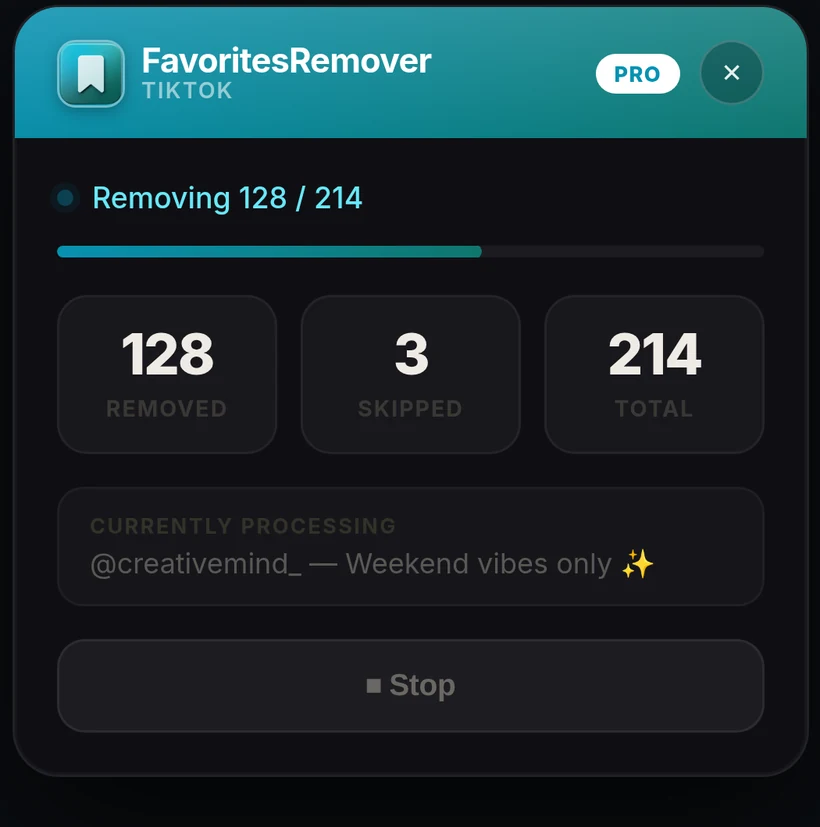
A floating widget appears on the page and your favorites are removed automatically. Export a report when finished.
Why People Use It

Built for speed, safety, and control

150
removals before an automatic safety pause
0–10m
adjustable cooldown window on Pro
3
devices per license, activated instantly
0
data collected, stored, or sold
See It In Action

A clean interface, every step of the way

Real screenshots of the actual extension — nothing staged.

Extension popup home screen with the Start Removing button and keyword field
Home
Start a removal run, add keyword filters, and see your daily free uses at a glance.
Extension settings tab with removal speed and cooldown controls
Settings
Fine-tune removal speed, safety cooldown, and your preferred export format.
Floating on-page widget showing live removal progress on TikTok
Live Widget
A floating progress widget on the TikTok page shows exactly what's happening in real time.
Pricing

Simple, honest pricing

Start free. Upgrade when you need unlimited power.

Free Basic
$0 forever
No credit card required
  • 6 removals per day
  • Keyword filtering
  • CSV / JSON / Excel export
  • Adjustable removal speed
  • Unlimited removals
  • Priority support
Add to Chrome — Free
Pro PRO
$8 /month
Cancel anytime via Gumroad
  • Unlimited favorites removed
  • Keyword filtering
  • CSV / JSON / Excel export
  • Adjustable safety cooldown (0–10 min)
  • Up to 3 device activations per key
  • Priority support
Privacy & Trust

Your data stays yours

No accounts, no analytics, no third-party trackers. Here's exactly how it works.

Nothing collected
No analytics, no trackers, no browsing history sent anywhere. The extension has no server of its own to send data to.
Everything runs locally
Removal, filtering, and exporting all happen inside your own browser tab, using TikTok's own API calls — the same ones your browser already makes.
Payments via Gumroad only
Pro purchases and billing are handled entirely by Gumroad. We never see or store your card details.
Read the full Privacy Policy
FAQ

Common questions

Yes. The extension uses TikTok's own internal API — the same calls your browser makes when you manually remove a favorite. It includes rate-limit detection and smart cooldowns to keep your account safe. Going too fast can get your account temporarily restricted, so keep a comfortable pace using the Removal Speed setting.
Absolutely — that's exactly what the Pro version is for. It works through your entire favorites list automatically, removing them one by one with a configurable delay between each. Free users can remove 6 per day; Pro users have no daily limit.
If you type keywords like "dance, crypto" in the Keywords field, only favorites whose description or author name contains those words are removed. Separate multiple keywords with commas. Leave the field empty to remove all favorites with no filter.
Purchase on Gumroad and you'll receive a license key by email. Paste it into the extension popup and click Activate — it verifies instantly and stores the result locally. Re-verification happens automatically twice a day in the background. Each license key can be activated on up to 3 devices.
Removal Speed controls the delay between each removal — choose Slow (3s), Medium (2.5s), or Fast (1.75s). A slower speed is safer and reduces the chance of TikTok rate-limiting your account. On Pro, the Cooldown setting (0–10 minutes) controls how long the extension pauses, whether from a real TikTok rate limit or its own periodic safety pause every 150 removals.
The extension uses Manifest V3, which is supported on Google Chrome, Microsoft Edge, Brave, and other Chromium-based browsers. Firefox is not currently supported.
No. TikTok Favorites Remover is an independent, unofficial browser extension. It is not affiliated with, endorsed by, or connected to TikTok or ByteDance in any way.
Bug Report & Support
Found a bug, have a feature request, or need help with your Pro license? Email us directly — we read every message.

Ready to clean up your TikTok favorites?

Stop unfavoriting one by one. Let the extension do it for you.